
1. Login to the app. If you have not an account yet, create a new account in the platform.
2. Click on the “+” button in the right corner at the starting page.
3. Click on “add scouting report”. A new page will open.
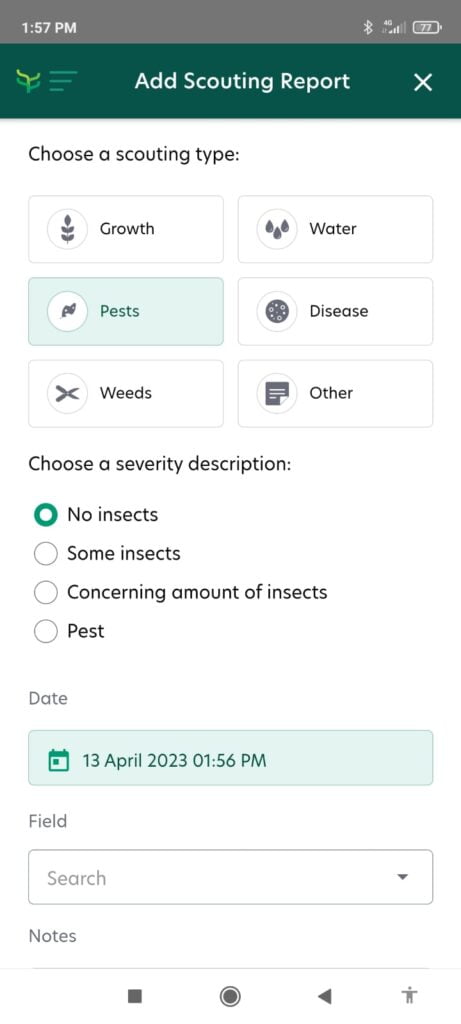
4. Select the scouting type and choose a severity description.
5. Select the date and choose the correct field.
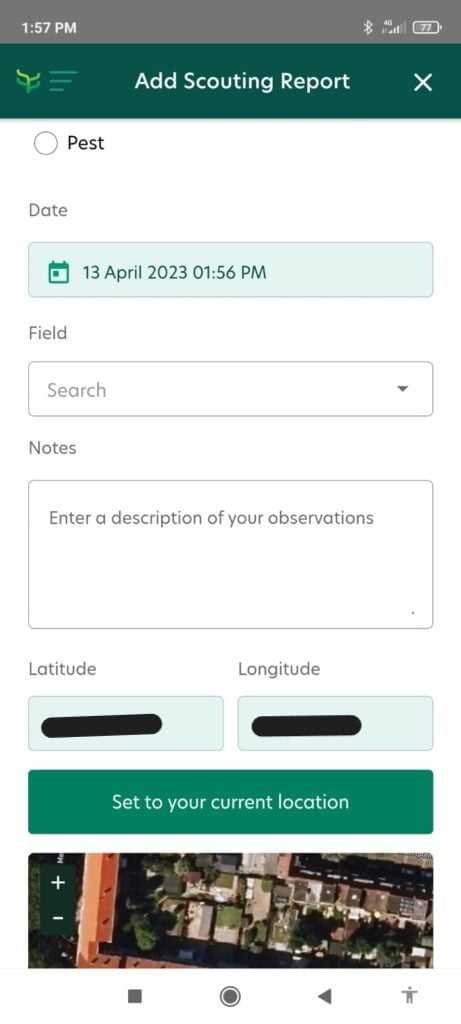
6. Click on “set to your current location” or add the coordinates manually to set the location of the observation.
7. Optional: Click on “upload photos” to take a picture or to select a photo of your mobile photo album.
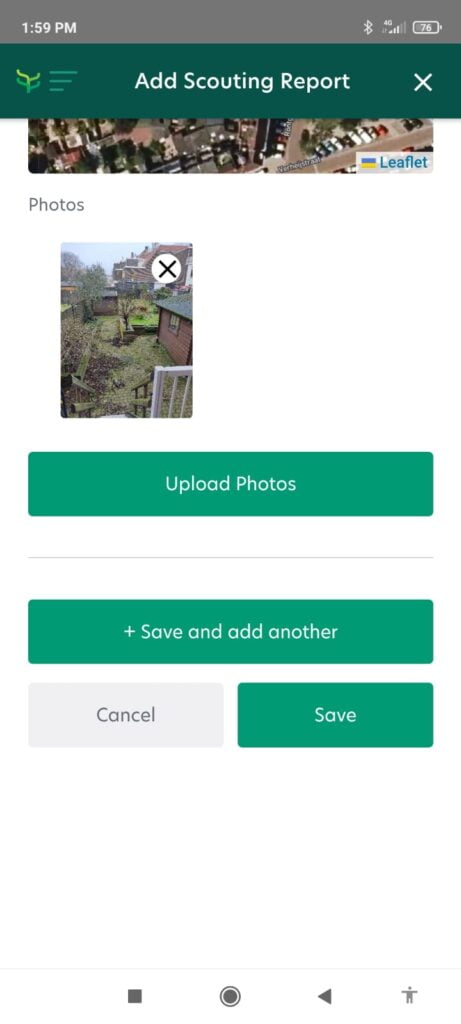
8. Click on “save”. Great, you have now created a scouting report.
